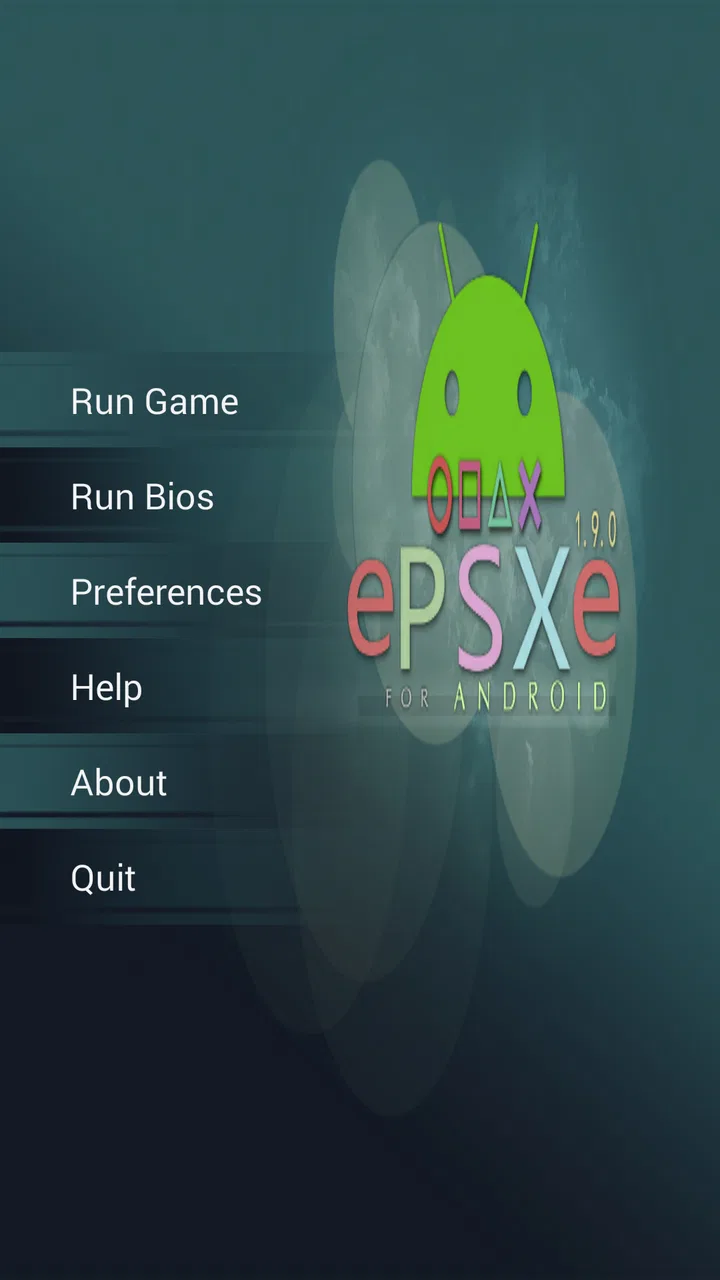
ePSXe for Android
- 4.5
- Rating
- 1.00M
- Installs
- $3.75
- Price
 Analysis by App-foxy
When I want to revisit PlayStation games without setting up older hardware, ePSXe is the Android game I look at first. It is an arcade-category emulator from epsxe software s.l., built around the simple idea of bringing PlayStation software to a phone or tablet. That sounds straightforward, but the real value is not merely having an old console image on a touchscreen. It is being able to keep a personal game library close at hand and choose between portability and a more traditional controller-based setup.
My experience with it is best described as convenient rather than completely effortless. The application can make classic games feel surprisingly at home on a modern device, yet the quality of that experience depends heavily on the phone, the game, the controls, and the way you prepare everything. I would not recommend buying it expecting a one-tap replacement for a console. I would recommend it to someone who already owns legitimate game copies and wants a focused way to play them away from the television.
The app costs $3.75, carries an Everyone age rating, and has reached over a million installs. Its average rating is 4.5 from around 58 thousand ratings, which matches my impression that it appeals strongly to people who know what an emulator is and are willing to spend a little time configuring one. It was released on August 29, 2012, and version 2.0.19 supports Android 5.0 and later.
You May Also Like

 Blood Strike: 2.5 Anniversary
Blood Strike’s Loadouts Turn Every Drop Into a Tactical Gamble
A close look at Blood Strike’s custom loadouts: how fast access to signature weapons reshapes its battle royale rhythm, rewards preparation, and narrows the gap between fights.

 Pandora - Music & Podcasts
Pandora’s Music Is Easy to Start, but Harder to Recover
Pandora’s strength is its low-effort path from a seed to a station. Its weak spot is how much confidence it asks you to place in connection, setup, and quiet recovery.

 8 Ball Pool
 Is Built on Rivalries, Rematches, and Routine
A close look at the rivalries, rematches, shared routines, and unanswered safety questions that turn a quick pool match into a persistent mobile community.

 Samsung Music
’s Quiet Strength Is Playing What You Already Own
Its reach comes less from spectacle than from dependable access to a personal library. That simplicity is both the app’s strongest retention engine and its ceiling.

 AccuWeather: Weather Radar
AccuWeather Review: A Quick, Clear Forecast for Everyday Decisions
For everyday plans, the best forecast is the one you can understand quickly. AccuWeather makes rain timing, radar, and local conditions easy to act on, with a few trade-offs.

 Hill Climb Racing
Why Hill Climb Racing Still Turns Crashes Into One More Run
A tiny car, a bumpy hill and one more upgrade: Hill Climb Racing keeps resurfacing because its simple chaos makes every near-miss feel personal.
More From Our News Desk



What the PlayStation emulation capability really changes
The central capability is PlayStation emulation: the Android device acts as the environment in which compatible PlayStation games run. In practical terms, this turns a phone into a portable retro system instead of limiting those games to an original console or a separate handheld. That distinction matters most when I am traveling, waiting somewhere, or simply want to play for a short session without occupying the main television.
The strongest part of the idea is flexibility. A phone is already something I carry, so the emulator removes the need to bring another console, its cables, and physical accessories. A tablet can make the picture easier to see, while a compatible external controller can make the experience feel much closer to the original hardware. The same core application therefore suits several setups, although each setup has different compromises.
It is important to separate the emulator from the games themselves. The application is the tool that runs PlayStation software; it is not a replacement for owning games legally. I would prepare my own game files and system materials from hardware and software I have the right to use, rather than treating the app as a source of copyrighted downloads. That is not just a legal consideration. It also makes the library more personal and avoids the uncertainty of downloading files from random websites.
The biggest practical benefit is portability with control over the setup. I can use touch controls when I have no accessories, move to a physical controller when precision matters, and choose a larger screen when the phone feels cramped. That adaptability is more useful than a simple promise of higher resolution because it changes where and how I can play.
Why this is more than a nostalgic novelty
Older PlayStation games often work well in short, deliberate sessions. A role-playing game can be continued during a commute, a racing game can fill a spare few minutes, and a platform game can be played without committing to a long evening. The emulator gives those games a second life in situations where connecting an original console would be inconvenient.
I also like that emulation can make a collection less dependent on aging physical equipment. An original console may still be the most authentic option, but it takes space and may require older cables or a television with the right connections. A phone-based setup is not identical, yet it is easier to carry and quicker to start once everything has been arranged.
That convenience should not be confused with universal compatibility or perfect preservation. Different games can behave differently, and a title that feels excellent on one device may require more adjustment on another. The application is most rewarding when I treat it as a configurable tool rather than a magic button.
How I use it in practice
The first step is organizing the library before playing. I keep game files clearly named and stored where I can find them, rather than filling one folder with confusing duplicates. This small habit becomes important on a phone, where browsing a large collection through a touch screen is less comfortable than looking through physical cases. Good organization also makes it easier to identify the correct version when I am troubleshooting a particular title.
After opening a game, I spend time checking the controls before beginning a serious session. Touch buttons are useful for convenience, but they can cover part of the picture and lack the physical feedback of a controller. For menus or slower games, I can tolerate them. For action games that depend on quick directional changes, shoulder buttons, or precise timing, I strongly prefer a physical controller if my setup supports one.
The on-screen layout is therefore not a minor detail. I would place frequently used buttons where my thumbs naturally rest, then test the arrangement in a safe section of the game. A layout that looks neat in the settings screen may feel awkward after several minutes. I also avoid making the virtual controls too small simply to reveal more of the image; missing a button because it is hard to press is more frustrating than losing a little screen space.
Screen size changes the experience as much as performance does. On a compact phone, the original PlayStation display area can feel crowded by touch controls. A tablet offers a more relaxed view, while a phone works best when I use an external controller and keep the device at a comfortable distance. This is one reason I would not judge the application solely from a quick test with touch controls.
Performance is similarly dependent on the device and the individual game. A newer phone may handle emulation comfortably, but that does not mean every title will feel identical. If a game behaves poorly, I first check the control setup and the selected options before assuming the application is unsuitable. I make one change at a time, test the same section, and keep the configuration that produces the most stable experience rather than chasing maximum visual enhancement.
This method is less exciting than immediately turning every option up, but it is more reliable. Extra visual effects can make a game look cleaner on a modern screen, yet they can also expose rough edges or create an inconsistent presentation. My preference is to preserve the original character first and improve clarity only when the result remains stable and comfortable.
A realistic evening with the emulator
Imagine arriving home with twenty minutes before dinner. With an original console, I might decide that setting everything up is not worth the effort. On Android, I can take the phone from the sofa, connect a controller if one is nearby, and continue a game from the point where I stopped. That is the kind of ordinary situation in which the application earns its place.
The same convenience works during travel, but I would prepare before leaving. I would test the chosen game, confirm that the controls feel comfortable, and avoid starting with a title that needs complicated adjustment. A long trip is a poor time to discover that the touch layout hides an important button or that a particular game needs different settings.
For a family setting, the Everyone rating makes the app broadly approachable, but the rating should not be mistaken for a guarantee that every game played through it has identical content. The application is a tool, and the age suitability of the software used with it can vary. I would choose games for younger players carefully and set up the controls in advance rather than handing over a device with an unfamiliar interface.
Tradeoffs I noticed before recommending it
The first tradeoff is authenticity versus convenience. An original PlayStation gives me the intended controller, display behavior, and physical relationship with the games. The Android version gives me portability and easier access, but the experience can feel less natural when I rely on touch controls. If preserving the original feel is my priority, real hardware remains the better choice.
The second tradeoff is simplicity versus customization. A dedicated modern retro device may offer a more focused interface, physical buttons, and fewer distractions. ePSXe for Android can be more adaptable, but I have to make decisions about files, controls, and settings. That extra flexibility is useful for an experienced emulator user and can be tiring for someone who only wants to tap an icon and play.
There is also a comfort issue that store descriptions rarely communicate. Long sessions on a phone can mean holding the device and controller in an awkward position, especially when the screen is small. I would use a stand or place the device at a comfortable angle when possible. A tablet can improve visibility, but it also becomes less pocketable. The best setup depends on whether I value mobility or relaxed posture more.
Input latency and button feel matter for certain games. Even when the picture is clear, a touchscreen does not provide the same tactile confirmation as a physical button. Racing games, fighting games, and platformers expose this quickly. Turn-based games and menu-heavy adventures are more forgiving, so I would choose those first if I planned to play without an external controller.
Another limitation is that troubleshooting can interrupt the nostalgia. A game may need a different configuration, a file may be incorrectly organized, or a control scheme may need adjustment. I enjoy that kind of tinkering in moderation, but I would not recommend the app to someone who becomes frustrated when a classic game requires setup. Paying for an emulator does not remove the technical nature of emulation.
The price is reasonable for a focused tool, but value depends on how often I will use it. If I already have a PlayStation library and expect to play regularly, $3.75 is easy to justify. If I have no games prepared and only want a quick retro distraction, a free alternative or a modern arcade game may be a better fit. The purchase makes sense because of repeated use, not because the application itself supplies an instant collection.
How it compares with the usual alternatives
Compared with original hardware, the Android approach wins on portability and loses on authenticity. Compared with a dedicated retro handheld, it can be cheaper if I already own a suitable phone, but the handheld usually offers better built-in controls. Compared with a general-purpose emulator alternative, the attraction here is a focused PlayStation experience rather than a broad platform-collecting tool.
Compared with streaming a game from another device, local emulation avoids depending on a separate computer or console being available at the time of play. It also avoids making the quality of the session depend on a network connection. On the other hand, streaming can provide a larger library from newer systems, so someone seeking current releases should look elsewhere.
For a person who wants arcade games designed specifically for touch screens, this is also a different proposition. The application is about adapting older console software to Android, not replacing every modern mobile game. Its appeal comes from the particular feel and library of PlayStation-era games, including the slower pacing and distinctive controller design of that generation.
Who gets the most from this purchase
I think the best audience is someone who already understands the basics of legal game preservation, owns a capable Android device, and wants a portable PlayStation collection. That person will appreciate the ability to adjust the setup, connect a controller, and move between short mobile sessions and longer play at home.
It is also a good choice for a player with a tablet or a phone that supports a comfortable controller arrangement. The larger the screen and the better the physical input, the less the Android format gets in the way. I would especially favor it for slower adventures, role-playing games, strategy-oriented titles, and other games where touch controls are not constantly tested.
Someone who wants a completely hands-off experience should probably skip it. The same applies to a person whose main goal is modern graphics, online multiplayer, or a ready-made catalog of games. This is a specialized emulator, not a contemporary game subscription and not a replacement for every kind of retro hardware.
Before buying, I would ask myself three practical questions. Do I already have legal access to the games I want to play? Do I have a controller or am I comfortable with touch input? Am I willing to spend a little time organizing and testing the library? If the answer to all three is yes, the application becomes much easier to recommend.
I would also start with one favorite game rather than importing an entire collection immediately. That lets me judge the screen, controls, performance, and comfort on my own device. Once that first game feels right, expanding the library is more sensible than assuming every title will behave exactly the same way.
My final view after using it
ePSXe for Android succeeds because it focuses on a clear, useful capability: taking PlayStation gaming away from the original console and placing it in a portable Android setup. The result can be excellent when the device, game, controls, and preparation line up. It can also be awkward when I expect touch controls and automatic configuration to reproduce the original experience without compromise.
Its 4.5 average and more than five hundred thousand written reviews show that it has built a substantial audience, while the developer, epsxe software s.l., has kept the product positioned as a dedicated emulator rather than a broad mobile gaming platform. I see the app as a practical purchase for returning players, collectors, and curious newcomers who are comfortable taking responsibility for their own setup.
I recommend it for portable PlayStation gaming, not for effortless plug-and-play entertainment. With a legitimate library, a comfortable controller, and a little patience, it can turn spare moments into genuinely enjoyable sessions. Without those ingredients, the friction becomes more noticeable, and original hardware or a dedicated handheld may offer a smoother experience. For the right player, though, the ability to carry that particular console era in an Android device is compelling enough to justify the small upfront cost.
FAQs for ePSXe for Android
01What is ePSXe for Android, and what does it do?
ePSXe for Android is an emulator designed to run PlayStation games on compatible Android phones and tablets. After installing the app, users can load legally obtained game files, configure controls, and play with features such as save states, memory card support, enhanced graphics, and controller compatibility. It is not a game store and does not include copyrighted PlayStation games with the download.
02Does ePSXe for Android include PlayStation games or a BIOS file?
No. ePSXe for Android does not normally provide commercial PlayStation games, and users are expected to supply their own legally obtained game files. Depending on the setup, the emulator may also require a PlayStation BIOS file for compatibility with certain titles. Because BIOS files and game images can be copyrighted, you should obtain them only from sources and hardware you legally own, following the laws in your country.
03What Android devices are suitable for running ePSXe?
The application generally works best on relatively modern Android devices with a capable processor, sufficient RAM, and updated graphics drivers. Many older or budget phones can run simpler PlayStation titles, but demanding games may experience slowdowns, sound glitches, or graphical problems. Performance also depends on the game, rendering mode, resolution enhancements, and whether you use touchscreen controls or an external controller.
04Can I use a controller and save my progress in ePSXe for Android?
Yes. ePSXe for Android supports customizable on-screen controls and can work with compatible physical controllers, which usually provide a more comfortable experience for action and racing games. The emulator also supports traditional memory-card functionality and convenient save states. Save states are useful for quick checkpoints, but they should not completely replace in-game saves because they may occasionally become incompatible after changing settings or using a different game file.
05Is ePSXe for Android easy to configure for first-time users?
The basic setup is fairly straightforward, but first-time users may need to spend a few minutes configuring the BIOS, game folders, graphics options, audio settings, and controls. Most games work with default settings, while others benefit from changing the renderer, frame-rate options, or enhancement level. If a title performs poorly, lowering the resolution and disabling advanced visual effects is usually a good starting point.
Pros
- Excellent compatibility with a wide range of PlayStation games.
- Supports save states for quick progress recovery.
- Offers customizable on-screen controls and external controller support.
- Includes fast-forward and cheat code options.
- Runs smoothly on many older and mid-range Android devices.
Cons
- Requires users to provide their own legally obtained game files.
- The interface feels dated and may confuse first-time users.
- Some games need individual graphics or audio tweaks to run properly.
- Touch controls can feel imprecise during fast-paced gameplay.
- Advanced features may require time to configure correctly.

ePSXe for Android
Gallery